Progress Tracking & Reports
📊 How Progress is Tracked
- Individual Word Data: Every time a learner spells a word, the app records their spelling, the time taken, and their accuracy.
- Word Levels: Based on learner performance, each word is assigned a Level (1-5). When a word reaches Level 5, it is considered Mastered.
📈 Viewing Reports
Learner performance data is available in the Results Dashboard. Teachers and parents can switch between two primary views to analyze progress:
1. Overview (Aggregate View)
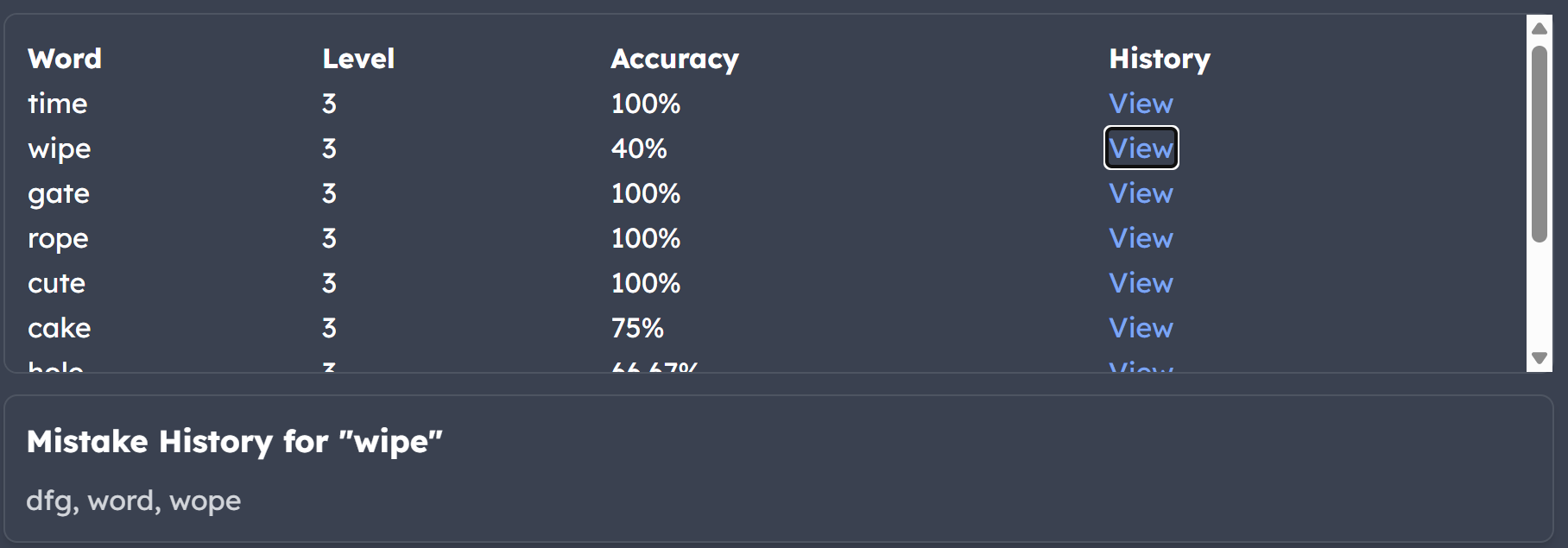
This view shows the learner's current standing with every word in a selected list. It displays the current level and overall accuracy percentage for each word.
- Mistake History: By clicking "View," you can see a history of the learner's specific spelling attempts for that word to identify where they are tripping up.
2. Session View
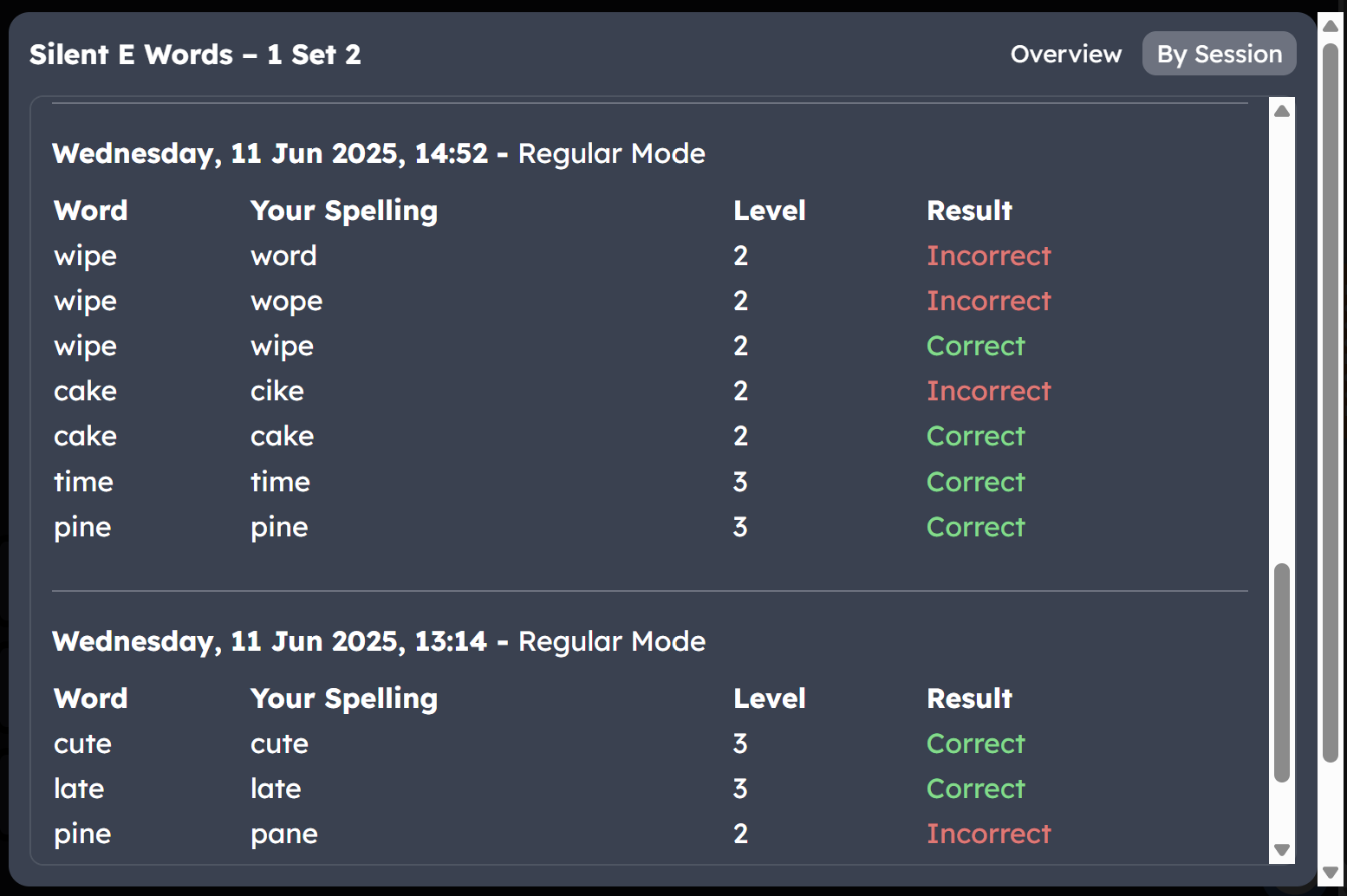
The Session View provides a chronological breakdown of every practice session. You can see exactly what the learner spelled during a specific sitting.
- Comparison: See the learner's spelling side-by-side with the correct word.
- Mode Tracking: Records whether the session was in Regular, Mastery, or Story mode.
✨ Smart Summary (AI Powered)
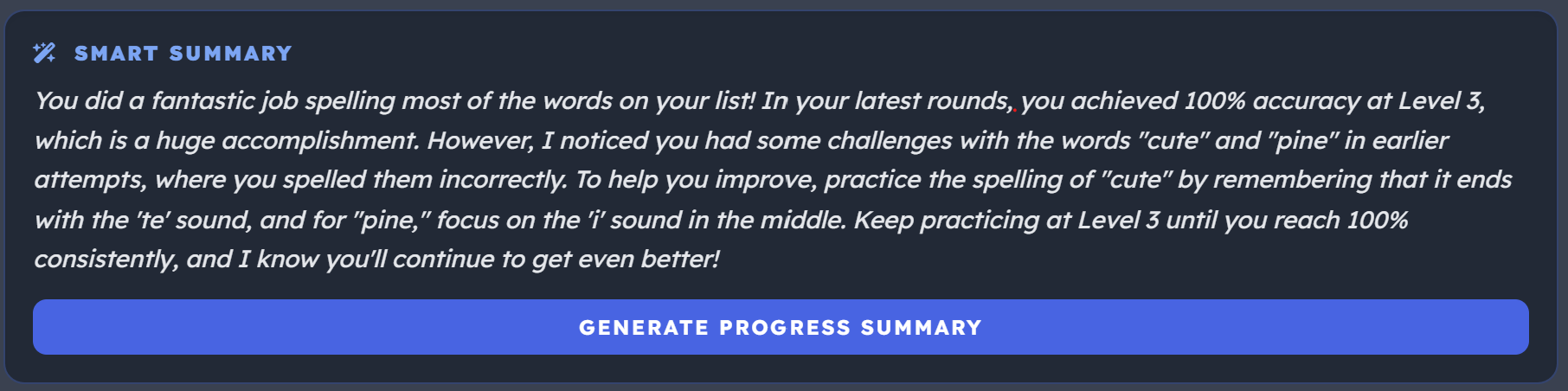
For Premium users, SpellMe uses AI to analyze the learner's last 10 rounds of data. It generates a personalized progress report that identifies patterns in their mistakes and suggests areas for focus.
🏆 Improving Learner Performance
- Analyze Mistakes: Use the mistake history to see if the learner is missing specific phonics patterns (like silent 'e' or double consonants).
- Mastery Mode: Use the Mastery Mode filter to have the learner practice only the words they haven't mastered yet.
- AI Hints: Monitor the use of the "Need a Hint?" feature during practice for mnemonic help generated specifically for the word the learner is on.