SpellMe's curated word lists are based on the Science of Reading which includes phonics. This is very structured and follows a carefully thought out progression. The word lists are divided into five different types, based on different reading and spelling stages:
- Foundational Phonics
- Advanced Vowel Patterns
- Syllabication
- Morphology
- Grammar and Syntax
Foundational Phonics: Building the Blocks
Word lists covered: Short vowels (a, e, i, o, u), initial and final blends, and digraphs (ch, sh, th).
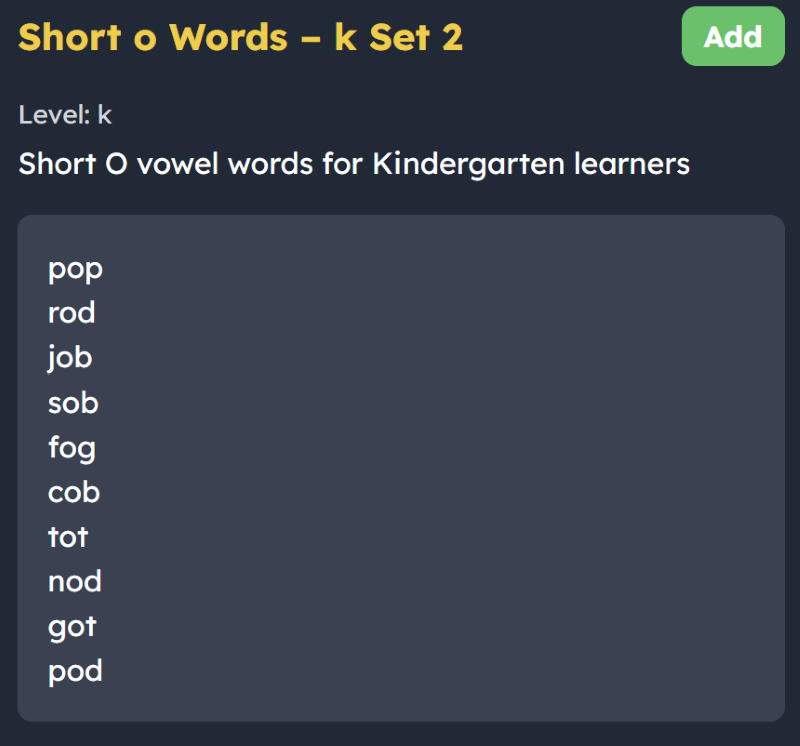
Why it is useful: This stage helps kids match sounds to letters. Once they get these basics down, they can actually sound out and spell words instead of just trying to memorize how they look. 1 2
Advanced Vowel Patterns: Moving Beyond CVC
Word lists covered: Silent E, vowel teams (ea, oa), r-controlled vowels (ar, er), and diphthongs (oi, ou).
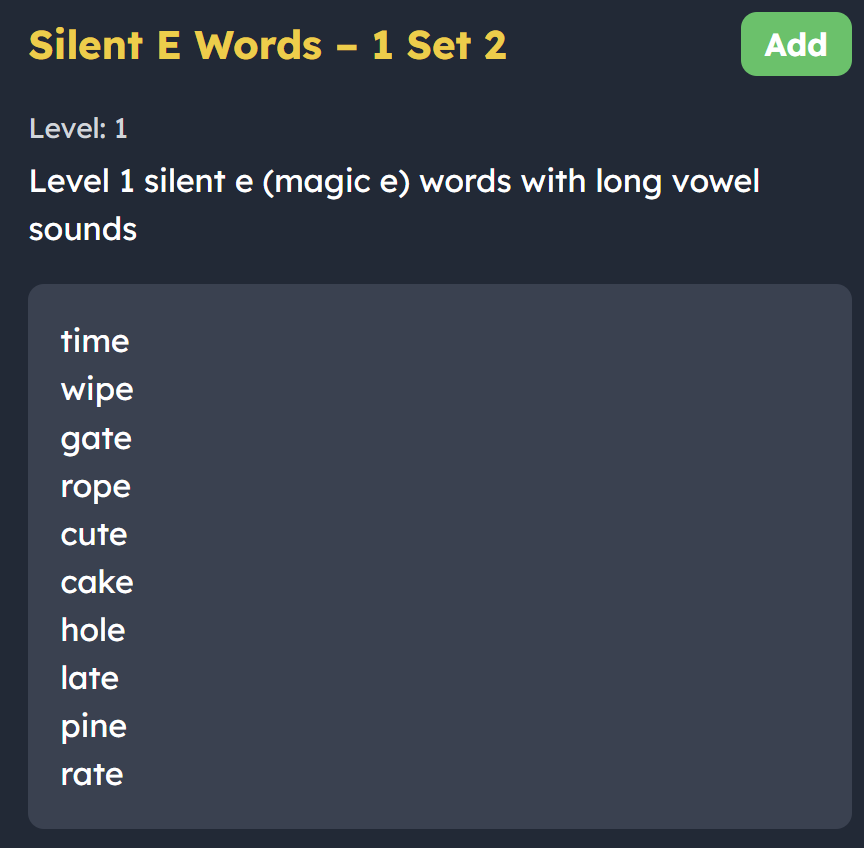
Why it is useful: This shows how sometimes multiple letters team up to make just one sound. Once learners get the hang of this, they'll stop guessing and feel way more confident tackling those trickier words. 1 2
Syllabication: Breaking Down the Big Words
Word lists covered: Open, closed, and consonant-l-e syllables.
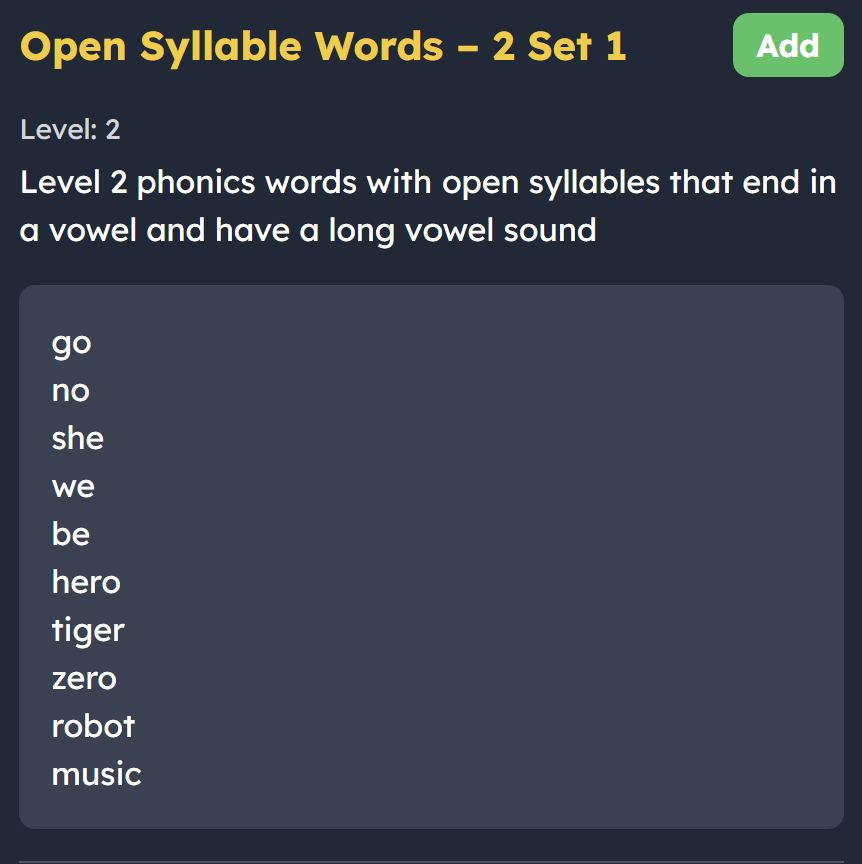
Why it is useful: Syllabication gives students a reliable trick for breaking down big words. It makes spelling longer words much easier. 3
Morphology: The Meaning Makers
Word lists covered: Prefixes (re-, un-, dis-), suffixes (-ful, -less, -ment), and Latin bases (scribe, port, tract).
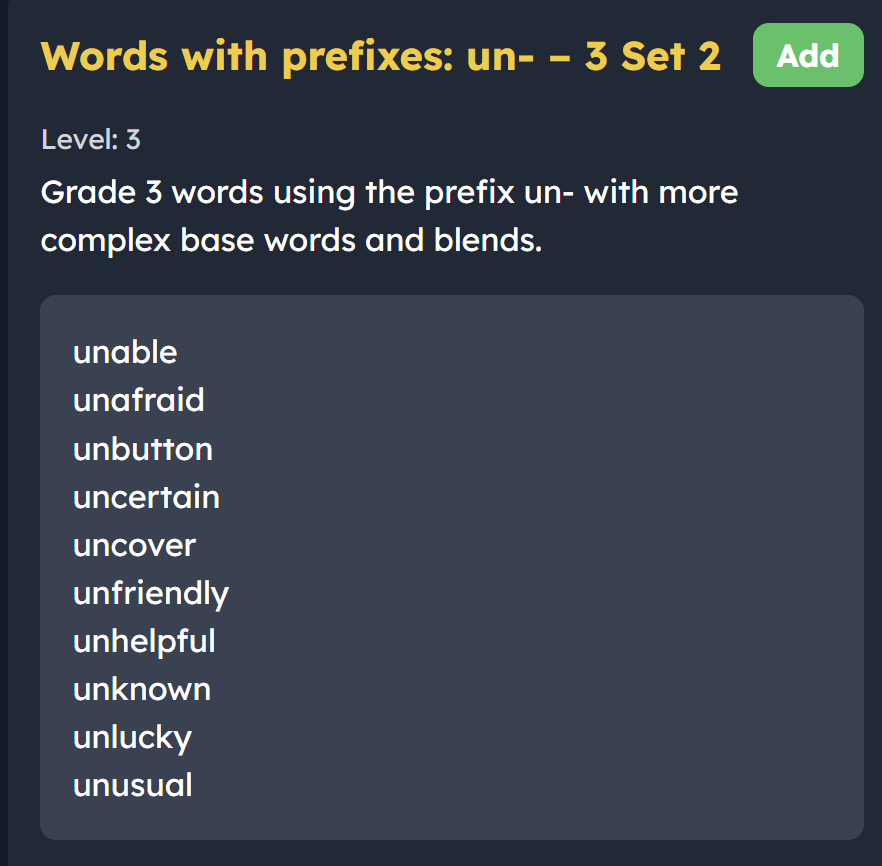
Why it is useful: Morphology links spelling straight to vocabulary and reading comprehension. It shows older or more advanced learners that complex words are built from meaningful chunks rather than just random strings of sounds. 1
Grammar and Syntax in Spelling
Word lists covered: Plurals (regular and irregular), possessives, past tense (-ed), and contractions.
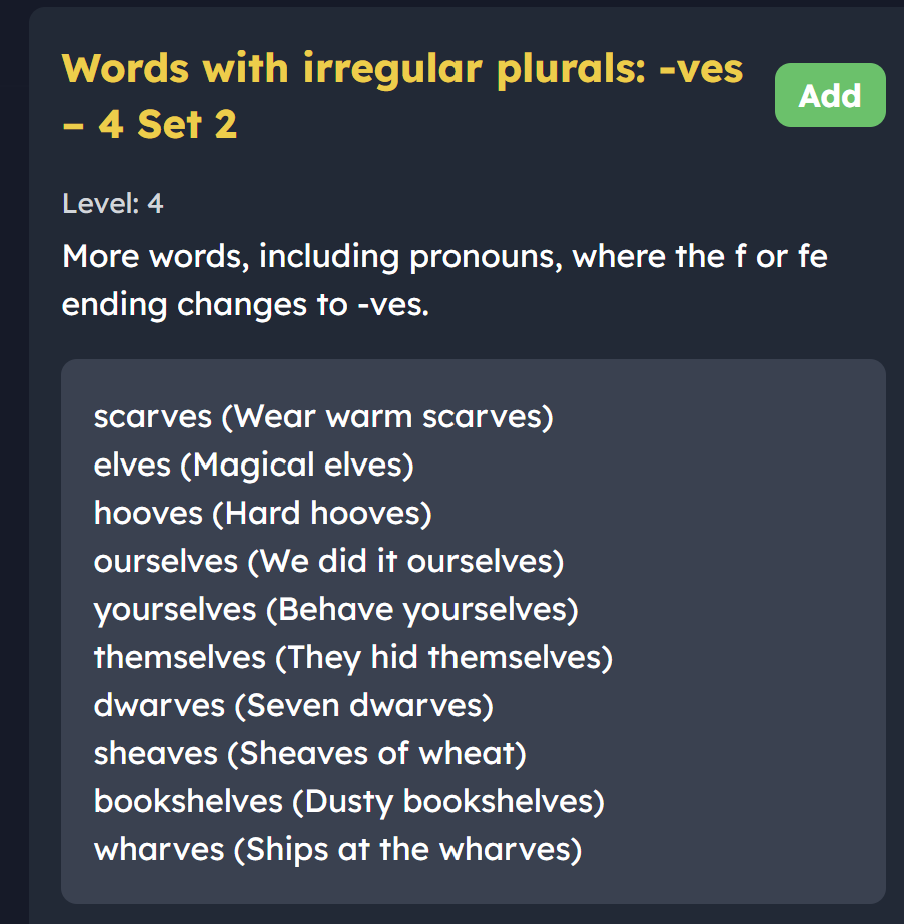
Why it is useful: This helps kids see how grammar rules, like past tense or possessives, actually shape how words are spelled. It makes the rules of English feel much more logical and easier to remember. 2 4
Levels vs Grades
The word lists are also separated by levels depending on the difficulty of the words, going from Kindergarten to Grade 6. We prefer to call them levels rather than grades, because it is normal for students in higher grades to revisit lower level words, and we don’t want students to face any negative stigma. This then allows learners to focus on mastering the orthographic structure at their own pace. There should be at least 2 sets for each of the different types of word list. Those that need more can use the auto generate list feature based on any of the list topics.
Following these word lists helps kids become independent, confident spellers. By working through everything from simple sounds to more advanced word parts, the SpellMe lists offer a simple, research-backed way to learn. Parents and teachers can use this flexible, leveled system to give kids the exact kind of support they need as they grow and learn.
You can read more about how and why structured literacy works so well with spelling in our article The Science Behind SpellMe - Part 1: Word Lists. In that article we talk more about what structured literacy is, why it works, the alternatives, and evidence.
All word lists are available to registered users from the free Basic account to the Premium account, and they can be imported directly into personal word lists and adapted if needed.
Sources
- Tortorelli, L. S., & Bruner, L. (2022). The Word Nerds project: Findings from a research–practice partnership focused on spelling instruction. Journal of Research in Reading, 45(3), 385-405.
- Moats, L. C. (1998). Teaching Decoding. American Educator, 22(1), 1-9.
- Weinrich, B., & Fay, E. (2007). Phonological Awareness/Literacy Predictors of Spelling Abilities for First-Grade Children. Contemporary Issues in Communication Science and Disorders, 34(Fall), 94-100.
- Rollo, G., & Picker, K. (2024). Unpacking the science of reading research. Australian Council for Educational Research.
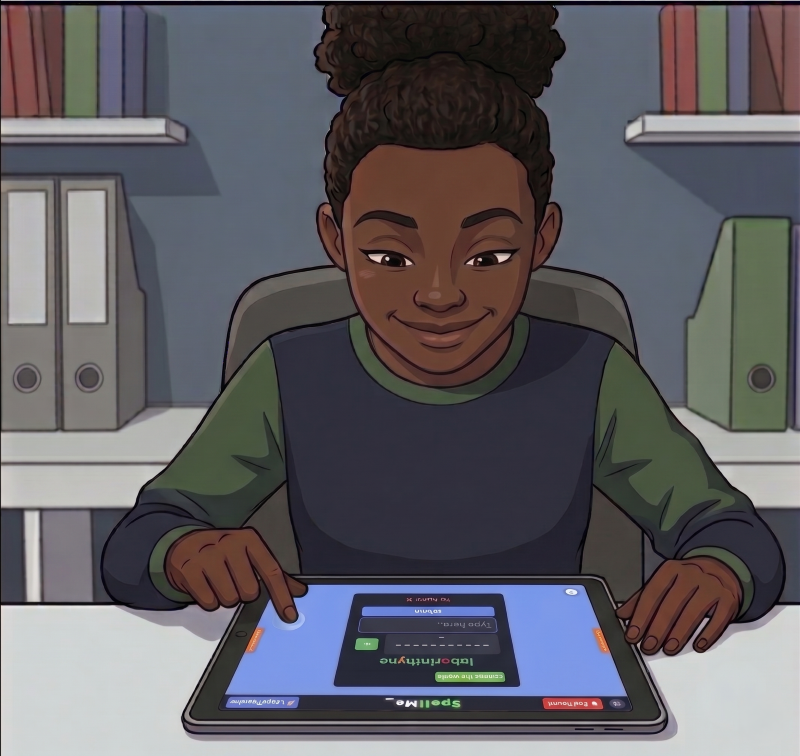
After doing some research on fun, play and motivational strategies in my other blog 21st Century Chalk, I wanted to address how SpellMe is designed to make sure the learning is front and centre. Many may think that SpellMe is not fun enough for learning because the UI is too simple, or that there is not enough gamification included. But research suggests that a busy UI, and too much gamification can do more harm than good when the main focus is learning and progress.
Gamification
My article "Are EdTech Apps Actually Teaching, or Just Entertaining?" focused on explaining the different types of fun, manufactured and organic, and also talked about Hard Fun, a phrase coined by Seymour Papert to explain that some things are fun because they were hard not in spite of them being hard. Manufactured fun focused on the promise of fun based on badges, streaks and points, whereas organic fun was an innate joy felt from just doing the task without the promise of badges and points. It is organic fun that is more useful for learning and development, and that is what I try to use within SpellMe. Although there are experience points, there are no badges or coins. This is to ensure that the focus is solely on the learning. The points aren't designed to be an accurate indication of proficiency, but are just a general indication of progress and a marker for the learning journey as a whole.
I did initially have an intention of adding badges and coins, where the coins were directly linked to the number of points given and could be used to buy things, like avatar decorations etc. Even though, these are still ideas I may consider in the future, I have decided to see how the learning progresses without these incentives, and hope to try and focus on the learning.
User Interface
The more visual aspects of apps also helps nurture fun, but can also be a distraction. This is something I have considered a lot and have compared SpellMe with other app that are more ‘flashy’ (which shall remain nameless). The fact is research supports a more sparse, simple, distraction free design, especially when considering accessibility, but also with young learners in general:
- Working memory in young learners is limited. So anything not directly related to the topic at hand can negatively affect the learning and progress of the student by overwhelming their cognitive resources. Sweller, J. (1988).
- Including interesting but irrelevant graphics or animations harms the learning process by diverting attention and causing students to build mental models around distractions rather than the core material Harp, S. F., & Mayer, R. E. (1998)
- According to the Cognitive Theory of Multimedia Learning, students learn significantly better when unnecessary information, sounds, and visuals are completely excluded from the learning interface Mayer, R. E., & Moreno, R. (2003).
- Young children placed in highly decorated or visually dense environments demonstrate more off-task behavior and achieve lower learning outcomes compared to children in sparse environments. Fisher, A. V., Godwin, K. E., & Seltman, H. (2014)
In SpellMe, the colours are simple, the animations are minimal and the overall look and feel is designed to be calm. The simple UI may seem boring to some, but the research shows that it is much better for learning than the busy distracting UIs in other apps. And by minimizing the gamification to only what is needed, SpellMe is asking students to engage with and focus on the core challenge itself, spelling. By doing this we are not just removing distractions, we are making room for organic fun. We are trying to nurture the fun of the challenge - of taking a difficult word, breaking it down and spelling it right. That is the kind of fun that builds lasting literacy, and it is the foundation that SpellMe is built on.
Sources
- Sweller, J. (1988). Cognitive load during problem solving: Effects on learning. Cognitive Science, 12(2), 257-285.
- Harp, S. F., & Mayer, R. E. (1998). How seductive details do their damage: A theory of cognitive distraction in science instruction. Journal of Educational Psychology, 90(3), 411-434.
- Mayer, R. E., & Moreno, R. (2003). Nine ways to reduce cognitive load in multimedia learning. Educational Psychologist, 38(1), 43-52.
- Fisher, A. V., Godwin, K. E., & Seltman, H. (2014). Visual Environment, Attention Allocation, and Learning in Young Children. Psychological Science, 25(7), 1362-1370.
- Image by Gemini
A Few Extra AI Tools Under the Hood

It has been a while since my first blog post explaining how SpellMe uses AI responsibly within its tool kit. From the beginning I wanted to be open and honest about AI use, and I intend to continue doing this. The core of SpellMe isn't run by AI, meaning it is totally possible to use it and for your child or student to learn with it AI free if that is a concern for you. However, even where it is present, it has been thoughtfully added only where it can benefit the user and enhance the user learning experience.
The first 3 features, as mentioned in the previous article included:
- Story Mode: to generate stories based on the word lists and optional words
- The Daily Challenge: to better tailor the Merriam Webster definitions of the daily words to make them accessible to all ages, and generate examples using the words
- Smart Hints: to add an additional more personal level of feedback for students struggling with words, with the assistance based on their prior attempts and the current word list theme.
Additional AI Features
Three additional AI-powered features have been introduced:
1. Image to word list creation: Where a user can copy and paste an image or import a saved image of a typed or handwritten list into SpellMe and it will convert that into a word list.
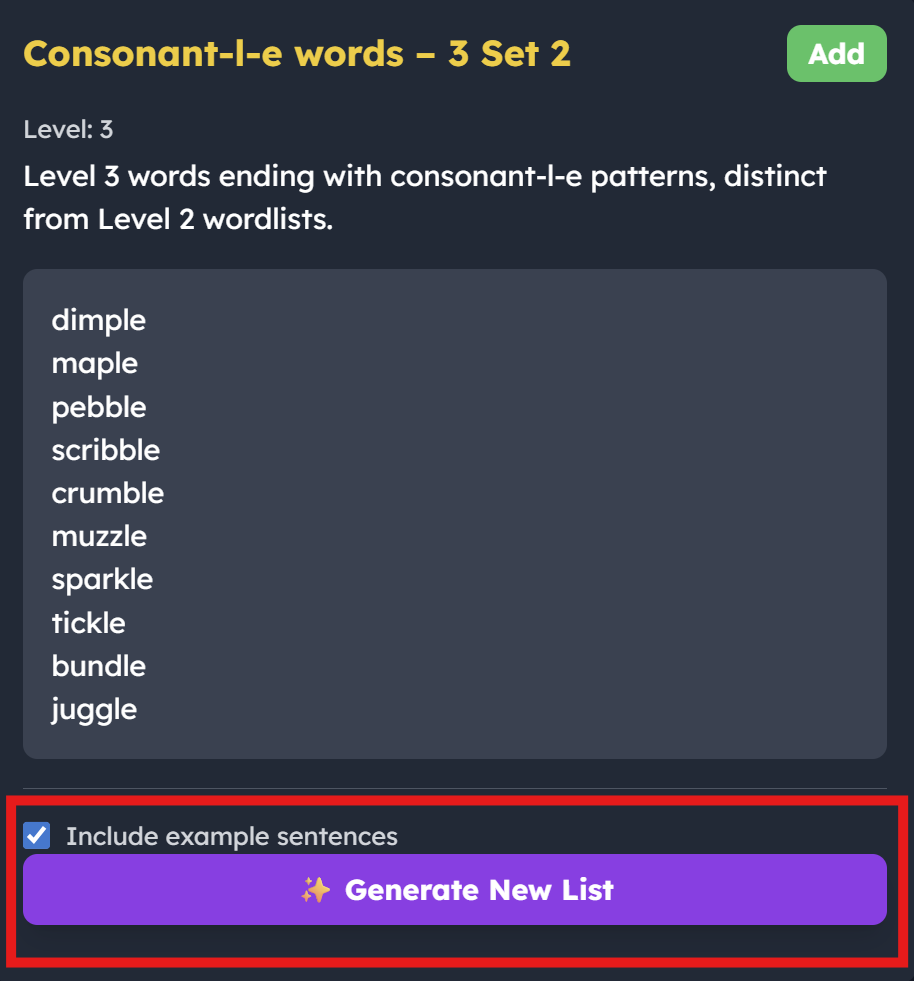
2. Auto word list creation: Where SpellMe generates an original word list based on the theme and style of words from the curated bank. This is for students looking to get extra practice on a particular phonics theme beyond the 2 lists that are currently provided by SpellMe.
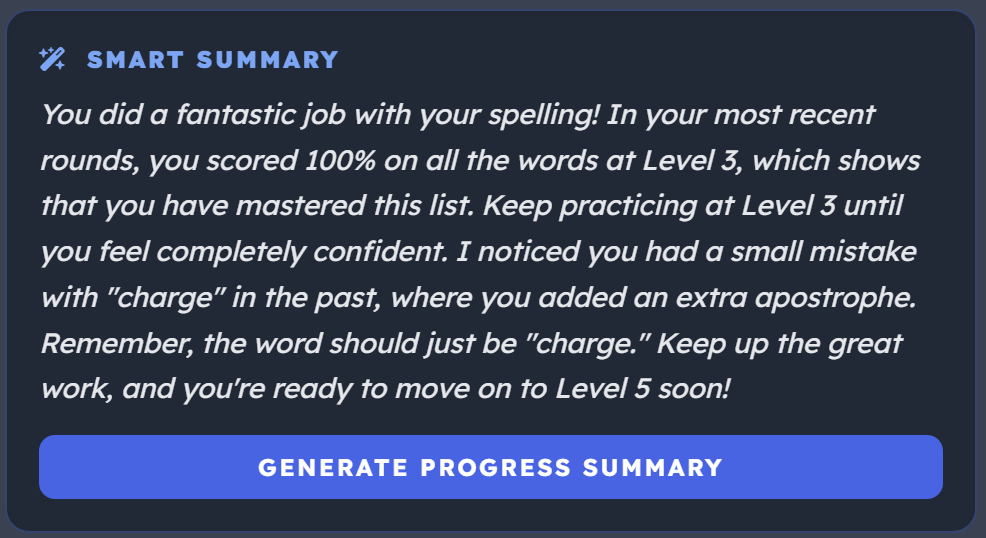
3. Smart Progress Summary: This is an generated summary of the data available in the results section (progress and performance), making it quicker to digest and easier to understand.
As with all the AI features (apart from the Daily Challenge feature), these are only available with our Premium account, as they add real value to the management and learning experience of SpellMe. This helps us ensure that users who prefer an AI-free experience can continue using the core app without any overlap.
I will be sure to keep you updated if there are more additions. And please feel free to let us know if there are features that you would like added.
Modern EdTech Struggles with "Wrong" Answers
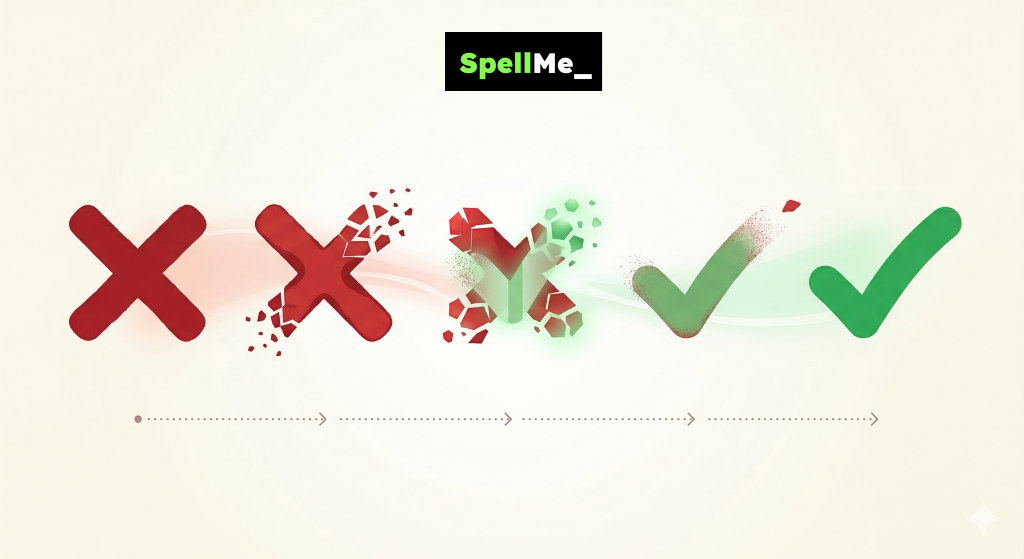
The most successful people in the world don't just tolerate failure; they utilize it. Silicon Valley work ethic is built on the idea of 'failing forward,' a concept where every error is a stepping stone to success. This is how SpellMe works, and why it works so well. Unfortunately, there are not many edtech tools like this. Many tools currently in our classrooms haven't caught up to the fail forward philosophy. By sticking to binary 'right or wrong' models, they are missing the most important part of the learning process: the feedback loop that happens immediately after a mistake is made. Good teachers know how to use mistakes as learning opportunities. But, in our rush to digitize the classroom, we have built systems where failure is a dead end rather than a step to success. This needs to change. Let’s take a deeper look at what is actually happening and why failing is so important to the learning process.
The Science of Why We Need Failure to Succeed
Mistakes help create accurate mental models. Cognitive psychology tells us that mistakes are important to the learning process because the mistake becomes a trigger for our brain to ask questions about the problem, and starts a process of reflection. ‘What did we do wrong? Why did that happen? How do we fix it? These internal questions, in the presence of our practical experience of making that mistake, are powerful tools in problem solving.
We Need to be Comfortable Enough to Make Mistakes
In order for all this to work, students need to be in an environment that nurtures their learning, allowing them to succeed through their failure without penalising them. There has to be emotional and motivational support. The alternative, which we too often see is the learning potential is shut down when an incorrect answer is given. Instead of guided questioning to find out the student’s thought process and correct it, a teacher gives the correct answer or moves to a student to do so. Leaving the other student embarrassed and sometimes still confused as to why they were wrong. A good teacher (which many teachers are), would know how to manage this in the correct way. Unfortunately, our edtech is not helping us enough. Check out part 3 of my article on ‘Reading isn’t natural’ to read about how this negativity can change the mind from an open learning mode to a closed protective mode.
How Current Edtech Handles Wrong Answers
The current edtech landscape is lacking on how it handles failure. And AI doesn’t seem to be making things any better. Most edtech tools, for maths, spelling, literacy and other subjects allow only binary answers. Students get it right, get points and move on, or students get it wrong, lose points and move on. Sometimes there is an explanation and sometimes not. There is rarely an opportunity for another chance at a question answered incorrectly, or any scaffolding support, and even more rare is the reward for the whole process.
Take IXL for example, which I think is a great edtech tool for maths and literacy (not so much for social studies and science, but that is a discussion for another day). I have used this tool many times for tutoring students and young family members, and witnessed tears, frustration and annoyance at the user experience of how it handles a student’s wrong answer. In a non-edtech environment (face to face with a good tutor), if a student got a question wrong, that tutor would never just give the student the correct answer and move on. They would first give hints, steer the student towards the correct answer, scaffolding the learning. They would try their best to get the student to come up with the answer themselves. With IXL, it is a simple binary. Right or wrong. Although IXL does give an explanation for a wrong answer, allowing the student to reflect on their mistake, by this point it is too late for the student to readjust, to try that same question again like a real life person would. IXL is not the only culprit here, many spelling apps act the same. So what should they do instead?
How EdTech Can Manage Failure Through Superior Feedback
- Lower the stakes for learning: At the very least, these tools should shift to low-stakes questions, where platforms reward attempts as well as correct answers. The rewards don’t have to be as high as the correct answer.
- Give feedback before marking: They can also provide corrective, actionable dialogue instead of just marking the answer wrong.
- Give more chances: They can allow resubmission, allowing the student an opportunity to fix their mistake.
- Give guided personal feedback: They can use intelligent feedback systems that can understand the student’s mistake, possibly based on previous errors and give guided, directed feedback and hints.
All of these features are in SpellMe. 1. XP isn’t removed for incorrect answers. In fact students get rewarded a few XP for every wrong attempt, because each wrong attempt leads them closer to the correct answer. 2. When students make mistakes immediate feedback is given hinting at the correct answer. 3. Students are given unlimited opportunity to get the correct answer to each question, instead of moving on. And final 4. Intelligent feedback based on previous mistakes is available to them.
All of these help build an environment that not only makes it ok to make mistakes, but turns the mistake into a learning opportunity.
The student perspective
I once asked a student:
‘Why do you get upset when you get a question wrong in IXL, but you don’t get upset when you use SpellMe’?
After a short thinking pause, they answered
‘I don’t know… I think it is because in IXL when I get a question wrong, the points go down and I can’t try the question again. That makes me feel sad. But in SpellMe, the points don’t go down and I can try again till I get it right, so it’s ok.’
The student was 8 years old, and was most likely neurodivergent, so didn’t handle disappointment well. This made things more difficult. That disappointment from the negative feedback often led to a mental switching off, and an unwillingness to learn in that moment. This is often a defense mechanism that struggling students employ to protect themselves from negative feelings of failure. Not every student would experience failure in that same way, but every student would benefit from improved failure handling in these situations.
This environment helps students realise that mistakes are normal. It is how we learn, so we should let our mistakes teach us. It helps students love challenges and view mistakes as stepping stones to success, and not something to be punished for. When looking for your next Edtech app, make sure it handles failure in the right way.
Research Articles
January and February are jam packed with some of the most famous festivities around the world. Our last festive word lists blog post did overlap some January and February dates, with Makar Sankrati and Chinese New Year, but missed out a lot of dates too. 20 new word lists have now been added, which cover January and February again, as well as March (which will be covered in another post). The most interesting thing about 2026 festivities is that Chinese New year and Ramadan sync up. This happens only once every 33 years, with the last one happening in 1993 and the next happening in 2057. 2026 is even more special because it is so rare that they are within 24 hours of each other. Both sets of word lists (one for each level, 7 in total for each theme) can be found in the SpellMe Word Lists collection along with 11 other sets, with dates and details below. Ramadan Mubarak, Gong Xi Fa Cai, wishing all of you the best of wishes for whatever you are celebrating!
January
World Braille Day - January 4
This global event honors Louis Braille, the Frenchman who invented the tactile reading and writing system. People with visual impairments and their allies celebrate by promoting Braille literacy and advocating for equal access to information in schools and workplaces.
Word Nerd Day - January 9
Celebrated primarily by language lovers and "logophiles" in English-speaking communities, this quirky day honors the vastness of the lexicon. It is observed by learning obscure words, playing linguistics games, and sharing the etymology of favorite phrases.
MLK Day - January 19
This American federal holiday honors Dr. Martin Luther King Jr. and the Civil Rights Movement. People across the United States participate in "days of service," marches, and educational programs to promote racial equality and nonviolent social change.
National Handwriting Day - January 23
Established by the Writing Instrument Manufacturers Association, this day encourages people to put pen to paper. It is celebrated by writers and students who send handwritten letters or practice calligraphy to keep the personal art of penmanship alive.
February
Black History Month - February 1 to 28
Observed in the US and Canada (and the UK in October), this month honors the achievements and history of the African Diaspora. It is marked by museum exhibits, community storytelling, and educational events that highlight Black leaders, art, and resilience.
Groundhog Day - February 2
This North American folklore tradition involves a groundhog "predicting" the arrival of spring based on its shadow. Primarily celebrated in Punxsutawney, Pennsylvania, and parts of Canada, it is a festive community event featuring morning festivals and winter predictions.
Int. Day of Women and Girls in Science - February 11
This United Nations observance is recognized globally by researchers, students, and academic institutions. It is celebrated with workshops, lectures, and social media campaigns aimed at breaking gender stereotypes and encouraging girls to pursue careers in STEM.
St. Valentine’s Day - February 14
Originating as a Christian feast day, this is now a global celebration of romantic and platonic love. People exchange cards, chocolates, and flowers—particularly in Western cultures—to show appreciation for partners and friends.
Lunar New Year - February 17
This is celebrated in China as Chinese New year, but the more general celebration in many Asian countries, like Vietnam, Korea is collectively known as Lunar New Year. Each region has their own specific name for the celebration which marks the start of a new moon. Traditions include family feasts, "red envelopes" with money for children, dragon dances, and setting off fireworks to welcome luck.
Random Acts of Kindness Day - February 17
This secular day of goodwill is celebrated globally by schools, businesses, and individuals. It is observed by performing small, selfless deeds for strangers, such as paying for someone's coffee or leaving a kind note, to foster a sense of community.
Ramadan - February 18 (Begins)
Observed by nearly two billion Muslims worldwide, this is the holiest month in Islam. It is spent fasting from dawn to sunset, participating in nightly prayers (Taraweeh), and focusing on charity, self-discipline, and spiritual reflection.
International Mother Language Day - February 21
First proposed by Bangladesh and recognized by UNESCO, this day celebrates linguistic diversity. People around the world honor their native tongues through poetry readings, cultural performances, and efforts to preserve endangered languages.
Look out for the next set of festivities and associated word lists in a future post.
Image by ChatGPT