A Few Extra AI Tools Under the Hood

It has been a while since my first blog post explaining how SpellMe uses AI responsibly within its tool kit. From the beginning I wanted to be open and honest about AI use, and I intend to continue doing this. The core of SpellMe isn't run by AI, meaning it is totally possible to use it and for your child or student to learn with it AI free if that is a concern for you. However, even where it is present, it has been thoughtfully added only where it can benefit the user and enhance the user learning experience.
The first 3 features, as mentioned in the previous article included:
- Story Mode: to generate stories based on the word lists and optional words
- The Daily Challenge: to better tailor the Merriam Webster definitions of the daily words to make them accessible to all ages, and generate examples using the words
- Smart Hints: to add an additional more personal level of feedback for students struggling with words, with the assistance based on their prior attempts and the current word list theme.
Additional AI Features
Three additional AI-powered features have been introduced:
1. Image to word list creation: Where a user can copy and paste an image or import a saved image of a typed or handwritten list into SpellMe and it will convert that into a word list.

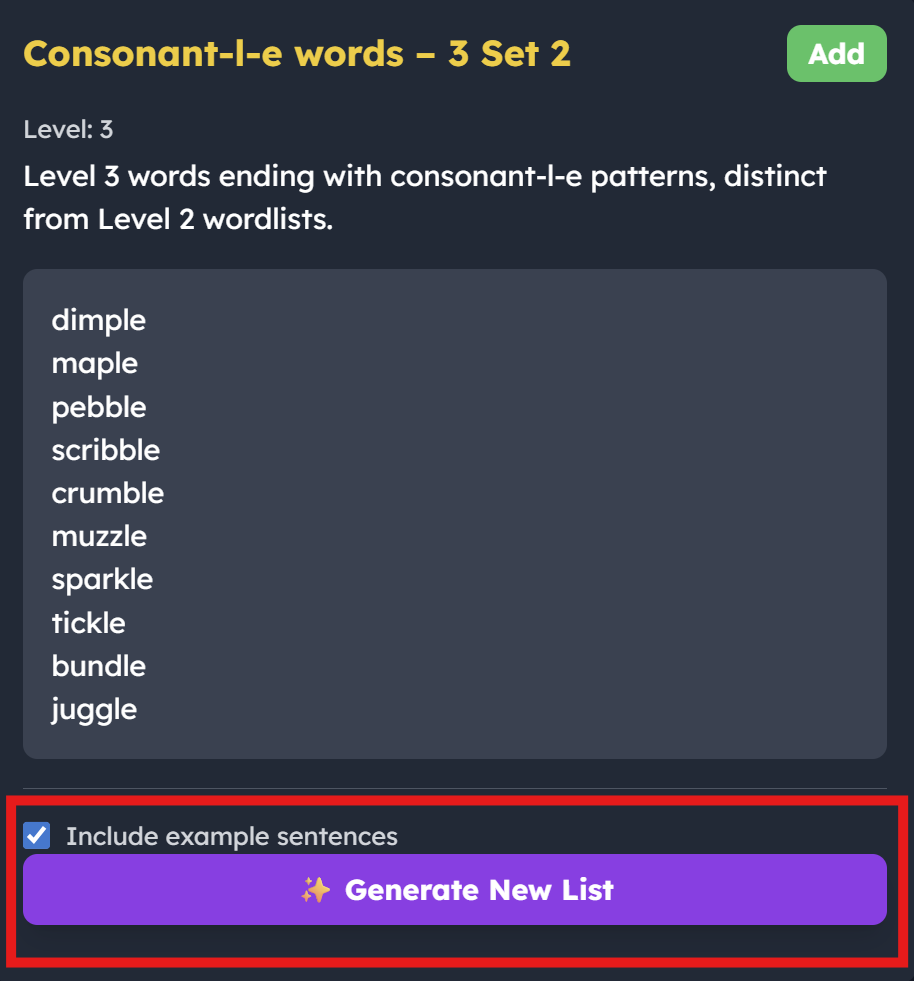
2. Auto word list creation: Where SpellMe generates an original word list based on the theme and style of words from the curated bank. This is for students looking to get extra practice on a particular phonics theme beyond the 2 lists that are currently provided by SpellMe.
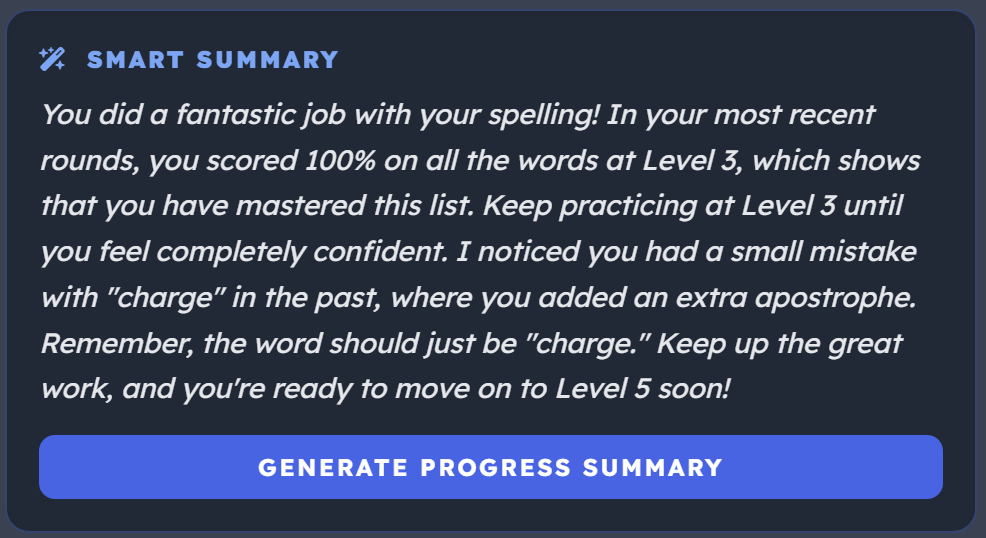
3. Smart Progress Summary: This is an generated summary of the data available in the results section (progress and performance), making it quicker to digest and easier to understand.
As with all the AI features (apart from the Daily Challenge feature), these are only available with our Premium account, as they add real value to the management and learning experience of SpellMe. This helps us ensure that users who prefer an AI-free experience can continue using the core app without any overlap.
I will be sure to keep you updated if there are more additions. And please feel free to let us know if there are features that you would like added.